



New in 2.11: SBAR Patient Summary, Clinical History, and Expanded Reporting

Update 2.11 gives care teams a faster view of patient status and more control over the data they see.
In Update 2.11
  • SBAR Patient Summary
  • Smarter Patient Chart
  • Expanded Reporting
  • Monitoring at Home

Patient Update at a Glance

SBAR Patient Summary

Opening multiple screens and mentally reconciling everything to understand a patient’s status takes time that few teams can spare. Neteera System SBAR helps get that time back.

The Neteera System HealthGate uses the familiar SBAR format to give nurses a quick view of patient information

The SBAR summary uses the familiar Situation, Background, Assessment, Recommendation format your team already uses. Heart rate, respiratory rate, motion, sleep*, and integrated EHR data are condensed into a single narrative at the top of each patient’s information.

Nurses can quickly assess a patient’s status without scrolling, saving deeper review for when it’s needed.

*Sleep is an add-on module that may not be included in every plan.

FAQs

Does the Recommendation section tell the clinician what to do or provide a diagnosis?

No. The Recommendation is informational only. It’s designed to prompt a closer look at a patient, not to provide a diagnosis or a treatment directive. Clinical judgment stays with your team.

Deeper Patient Context

Smarter Patient Chart

Your team can review a patient’s status in seconds with deeper insights on a single screen. They see the changes that matter without leaving the Patient Chart.

  Motion baseline and trend

Declining mobility can be easy to miss between rounds. Motion is now compared to each patient’s baseline and shown next to heart rate and respiratory rate, to help care teams catch declining mobility.
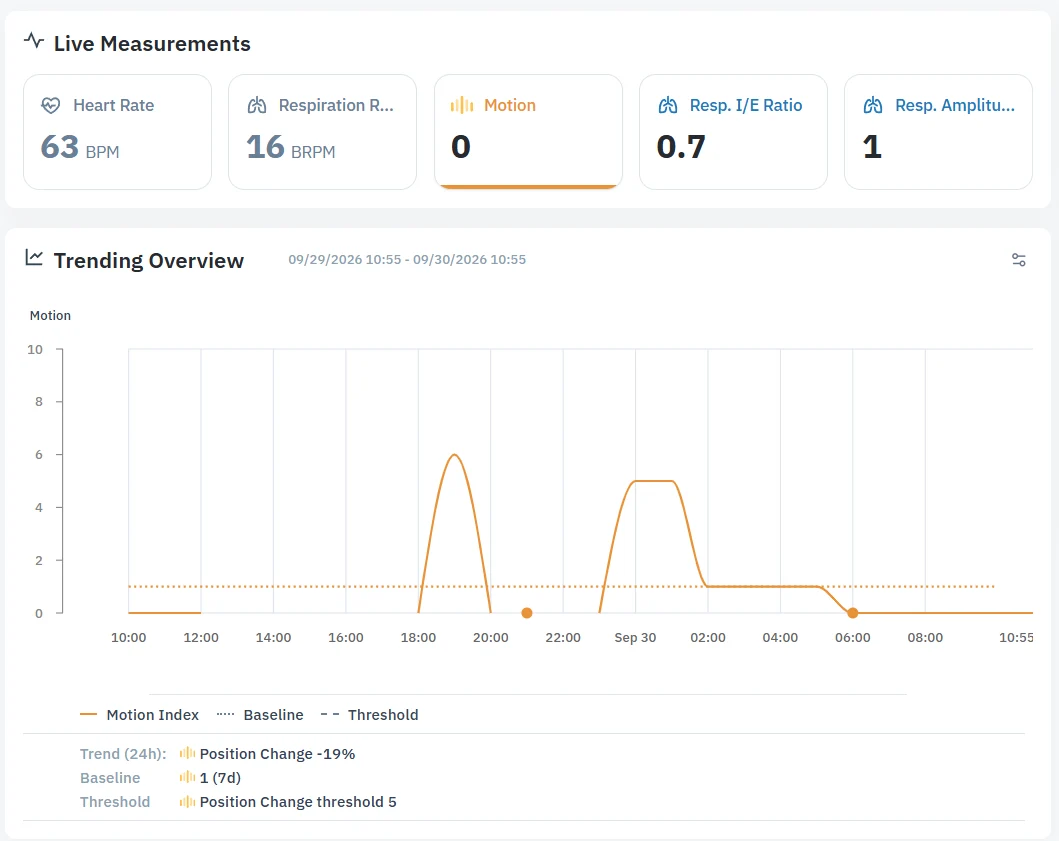
Neteera System HealthGate includes motion baseline, trends, and position change

  EMR data

Integrated EMR data, such as conditions, medications, observations, and allergies, appear alongside the patient’s vitals. 
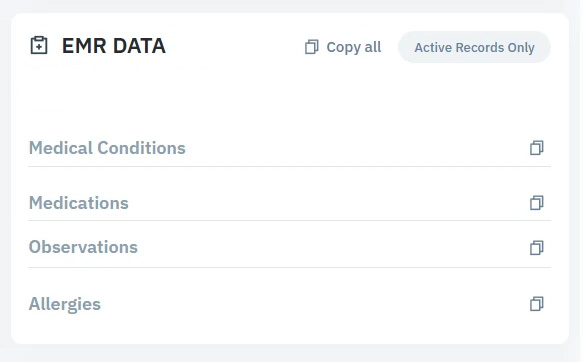
Example of EMR data integrated into the HealthGate Patient Chart

  Heart rate and respiratory rate percentiles

Histograms include 10th and 90th percentiles to highlight the patient’s typical range, making unusually low or high values easier to identify.

Neteera HealthGate heart rate and respiratory rate histograms include 10th and 90th percentiles

  Trend analysis

A fixed-window view shows the direction and percentage of change in heart rate, respiratory rate, and position change without switching between windows. Side-by-side comparison helps your team identify declining repositioning, which can indicate a higher risk of pressure injury.

  Sleep summary

Nightly sleep data on the Patient Chart gives your team a fuller picture without changing screens. One click opens the full interactive Sleep Dashboard, where users can see complete sleep data.

*Sleep is an add-on module that may not be included in every plan .

FAQs

What’s included with the Patient Chart?

Everything in this update is included, with two exceptions. EMR data requires an integration with your EMR, and Sleep is an add-on module.

Does the EMR data on the Patient Chart replace my EMR system?

No. It shows EMR context next to each patient’s vitals. Your EMR stays the system of record.

More Reports, More Flexibility

Full and Multi-Patient Reports, and a User Report Library

Monthly sleep report
Get a broader view of your patient’s sleep quality and restlessness with the 30-day reporting option. Sleep is an add-on module requiring an additional subscription.

Patient report
Additional time configurations let the team customize the reporting period and create a full report or a short version, depending on what they need.

Multi-patient report
Review every flagged patient in one report before your daily huddle. Each report includes a summary and a full report for each patient, supporting clinical workflows and review of multiple patients in a single meeting.

Individual report library
Every report a user generates is automatically saved in their private library, making it easier to reference previous reports without regenerating.

Close the Distance to Patients at Home

Monitoring at Home

Hospital-at-home, chronic care management, and aging-in-place programs all share the same need: visibility into how a patient is doing when a nurse isn’t there. The Neteera System now reaches wherever that patient is, using the same technology and notification logic already trusted in a facility.

A Neteera sensor mounted on a tripod placed at the head of the bed measures heart rate and respiratory rate of the woman in bed.

Wider coverage per patient
Use multiple devices for a patient at home to extend monitoring across more hours of their day.

Notifications from home
Home-monitored patients get the same notification logic as facility patients: trend changes and vital signs are compared against their own baseline, helping your team spot and respond to concerning changes.

Simple setup
Getting a new device ready for a home patient takes minutes, not a service visit, so your team can extend coverage as soon as a patient needs it.

FAQs

Does adding home monitoring mean a bigger IT or install project?

No. New devices are ready to use with minimal setup, without requiring a service visit.

How does home monitoring compare to monitoring in a facility?

It uses the same technology and the same notification logic, extended wherever the patient is, so your team doesn’t have to learn a second system.

The Neteera device should be used only as specified in the Instructions for Use (IFU) and according to its intended use.

Already a Neteera HealthGate user? Full documentation is available from the dashboard.

New to Neteera? Find out how the Neteera System closes the distance between patients and the care teams watching over them.

→ Explore the technology